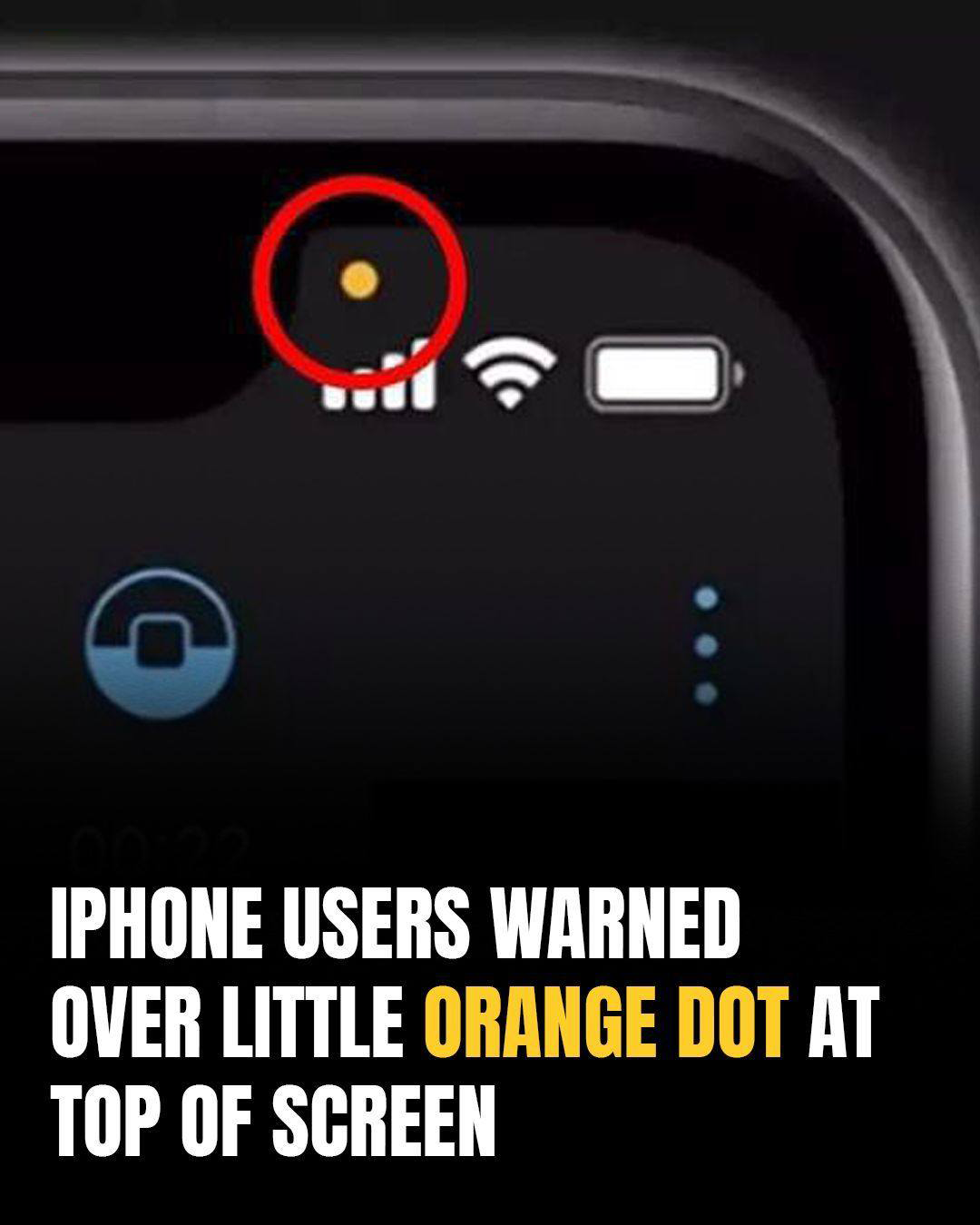
Apple’s iPhone Users Are Justifiably Concerned By The New Meaning Of The Orange Dot On Their Screens
The Truth Behind the Orange Dot on iPhones: What It Means for Your Privacy
For millions of iPhone users, a tiny orange dot in the corner of the screen has sparked big questions. What does it mean? Is it harmless—or is it a sign that the phone is secretly listening? The answer lies in Apple’s ongoing push for privacy and transparency, though some concerns remain valid.
What the Orange Dot Really Means
The orange dot is a built-in security feature introduced with iOS 14 in 2020. Its sole purpose is to notify users whenever the microphone is being accessed by an app. This includes normal, expected functions such as:
-
Making a phone call
-
Recording voice memos
-
Using voice notes in messaging apps
-
Activating Siri or dictation features
In short, if you’re speaking into your phone by choice, the orange dot should appear. It’s a simple visual cue designed to give you awareness of how your device is being used at any given time.
Why Some Users Feel Uneasy
The unease comes from instances where users notice the orange dot even when they aren’t intentionally using the microphone. Some report it flashing during web browsing, gaming, or idle phone use. Understandably, this raises fears of apps “listening in” without consent.
Most often, however, the explanation is far less sinister. Apps can run in the background, and many people forget which ones are open. A voice-enabled feature might briefly activate, or an app that has microphone permission may be quietly preparing for audio input.
Still, experts agree: if you see the dot and can’t connect it to anything you’re doing, it’s worth checking.
Steps to Troubleshoot
If the orange dot appears unexpectedly, here are some quick actions to take:
-
Close all open apps. Swipe them away to ensure nothing is running in the background.
-
Restart your phone. This clears any processes that may be stuck or behaving oddly.
-
Check app permissions. Go to Settings > Privacy & Security > Microphone and review which apps have access. If something doesn’t need the microphone, toggle it off.
-
Update your software. Apple frequently issues security patches that fix bugs and improve privacy protections.
If the dot still appears regularly without reason after these steps, there may be a deeper issue, such as a malfunctioning app or, in rare cases, malicious software. In such situations, a professional check or full reset may be necessary.
The Green Dot and What It Signals
Alongside the orange dot, Apple introduced a green dot indicator, which works in the same way but signals camera use. For example, opening the camera app will trigger the green dot, and in cases where audio recording is also activated, the orange dot may appear alongside it.
These dual indicators serve as real-time safeguards, letting users know whenever sensitive hardware is active. While initially unsettling, they are actually among Apple’s strongest privacy-forward innovations.
Taking Control of Privacy
For added peace of mind, iPhone owners can tighten app permissions. Apple allows users to grant microphone and camera access only to apps that genuinely need them, such as video conferencing or messaging platforms. Revoking permissions from lesser-used apps reduces the chances of unnecessary or unwanted access.
It’s also wise to periodically review permissions, especially after downloading new apps. Many apps request more access than they truly require, and staying mindful ensures you retain control over what your phone can do in the background.
A Safeguard, Not a Spy
While the orange dot can feel unnerving at first, it’s important to remember its purpose: protection, not intrusion. Rather than being a sign of secret surveillance, it is Apple’s way of providing visibility into your device’s activity. Without it, you’d never know when apps were listening or recording.
By combining these indicators with user-friendly privacy settings, Apple has shifted more control into the hands of iPhone owners. The orange and green dots are reminders that transparency matters—and that with a few adjustments, users can enjoy both the convenience of modern apps and the confidence of stronger privacy.
✅ Bottom line: The orange dot doesn’t mean your iPhone is betraying you—it means your iPhone is keeping you informed